

Password Strength Meter Calculator
The Password Strength Meter Calculator: A Field Manual for Digital Security
How to Read the Gauge, Trust the Math, and Build Passwords That Actually Hold Up
A practical, no-nonsense guide to understanding password strength meters, calculating real security, and developing instincts that keep your accounts safe without memorizing a textbook.
If you have ever stood in a hardware store staring at two drills that look identical but cost fifty dollars apart, you already understand the problem with password strength meters. They flash colors, toss out labels like "Weak" or "Strong," and sometimes give you a checkmark just because you added an exclamation point to your dog's name. But what is actually happening under the hood? How do you know whether the gauge is telling you the truth or just making you feel better?
This is not another article that lectures you about eight characters and a capital letter. You have read those. Everyone has. They show up in your inbox from the bank, from the credit card company, from the streaming service you forgot you subscribed to. What you need is a field manual. Something you can keep in your mental toolbox, pull out when you are creating a new account, and actually use without a computer science degree.
Think of a password strength meter calculator as the torque wrench of your digital workshop. It measures force. It gives you a reading. But if you do not know what the numbers mean, or if you are using it on the wrong bolt, the reading does not matter. You can strip the threads and not even know it until the whole thing falls apart.
So let us walk through the shop, flip on the lights, and figure out how this tool actually works.
What the Meter Actually Measures
Most password strength meters are running a handful of basic checks. They count characters. They look for uppercase letters, lowercase letters, numbers, and symbols. Some of the better ones check for dictionary words, common substitutions, and known breached passwords. Very few of them calculate true entropy, which is the real measure of how hard your password is to guess.
Here is the honest truth. When you type "Truck2024!" into a meter and it turns green, that does not mean the password is good. It means the password met the rules the programmer wrote on a Tuesday three years ago. A computer trying to crack that password will not care about the exclamation point. It will run through every variation of every common word plus every year plus every symbol, and it will hit yours before lunch.
The meter is doing its job, but its job is narrow. It is like a smoke detector that only checks for burnt toast. It will catch something, but it will miss the actual fire.
A real password strength calculator goes deeper. It estimates how many guesses an attacker would need to make before landing on your exact combination. It factors in the length of the password, the size of the character pool you pulled from, and whether your pattern shows up in leaked databases. It does not care about rules. It cares about math.
The Math Behind the Gauge
Let us talk about that math for a minute, because this is where most people tune out, and it is exactly where you need to tune in.
Every password is a combination lock. The more wheels on the lock, and the more numbers on each wheel, the longer it takes to try every combination. If you have a four-digit PIN, there are ten thousand possibilities. A computer burns through that in milliseconds. If you have a twelve-character password using uppercase, lowercase, numbers, and symbols, the possibilities jump into the hundreds of billions. That sounds like a lot, and it is, but only if the password is truly random.
The problem is that humans are terrible at random. We think we are clever. We replace the letter A with the number four and call it a day. We capitalize the first letter because that feels official. We add the current year because it is sitting right there in our heads. Attackers know this. They build their cracking tools around human behavior, not around random chance.
A proper strength calculator runs your password through the same logic an attacker uses. It checks length, sure, but it also checks patterns. Does it start with a capital letter and end with a number? That is a pattern. Does it contain a word from the dictionary? That shrinks the search space dramatically. Does it match a password that already leaked in a previous breach? Then it is worthless, no matter how long it is.
The best calculators give you an entropy score measured in bits. You do not need to become a mathematician to use this. Just know that every extra bit doubles the difficulty. A password with forty bits of entropy is decent for a low-stakes account. A password with eighty bits is serious business. Anything over a hundred bits is the kind of password you use for your bank, your investment accounts, and anything else that could ruin your week if it got stolen.
The American Password Problem
Walk into any coffee shop in America and look at the Wi-Fi password taped to the counter. It is probably something like "CoffeeShop2024!" or "Espresso#1." Walk into any auto repair shop and check the default password on their scheduling software. I will bet you a case of beer it is the shop name plus a number. This is not because Americans are lazy. It is because we are practical, and practical people look for the shortest path between two points.
The trouble is that attackers are also practical. They know that Americans love sports teams, pet names, hometowns, and the year something happened. They know that if you force someone to add a symbol, ninety percent of the time it will be an exclamation point at the end. They know that if you require a number, it will be a one, or the current year, or a jersey number.
Our cultural shorthand makes us predictable. We name passwords after our kids, our trucks, our favorite fishing spots. We use patterns that feel personal but are actually public information. Your Facebook profile probably tells a stranger your favorite team, your dog's name, and your anniversary. A password meter that only checks for complexity will give you a green light on information that is already half-guessed.
This is why you cannot trust the meter alone. You have to understand the context. A password that looks strong on paper can be weak in reality if it is built from things people know about you. The calculator is only as good as the honesty you bring to it.
How to Read the Gauge Properly
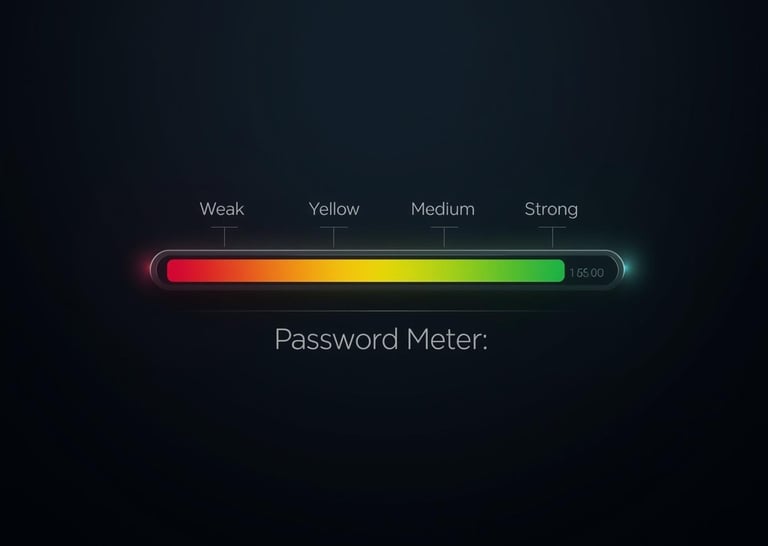
When you see that bar fill up and turn green, pause. Ask yourself what actually got measured. Did the meter check for dictionary words? Did it check against known breaches? Or did it just count characters and call it a day?
A good meter behaves like a good mechanic. It tells you what is wrong, not just that something is wrong. If it says your password is weak, it should say why. Too short? Predictable pattern? Common phrase? If all it does is flash red and make you add a symbol, you are not learning anything. You are just playing a video game with bad graphics.
Look for meters that show an estimated crack time. "This password would take three years to crack" is a useful statement. "This password is strong" is not. Three years against what kind of computer? A laptop in a dorm room? A rack of servers in a warehouse? The better calculators will qualify their estimates, and those are the ones worth trusting.
Also, pay attention to what the meter does not say. It does not know whether you reuse that password across twelve sites. It does not know whether your email already appeared in a data breach. It does not know if you wrote it on a sticky note under your keyboard. The gauge reads one bolt. It does not inspect the whole engine.
Building a Strong Password: The Manual Method
Now we get to the useful part. How do you actually build something that holds up?
Forget the rules you learned in the office orientation video. The real method is simpler than you think, but it requires a shift in how you think about passwords.
Start with length. Every single security expert who is not trying to sell you something will tell you the same thing. Length beats complexity. A sixteen-character password made of random common words is harder to crack than an eight-character password made of random symbols. This is not opinion. It is math.
The best approach for most people is called a passphrase. Take four or five random words that have nothing to do with each other. Throw in one number or symbol that you actually have to remember, not one that sits at the end like a decoration. "DitchHammerBlueSeventy" is a better password than "X7!kQ2$p" because it is longer and easier to remember. A computer trying to guess the first one has to work through combinations of words. A computer trying to guess the second one is running a shorter pattern that humans think looks random but is not.
If you want to get fancy, use a password generator. Not the one built into your browser that suggests "HorseBatteryStaple47" every time. A real generator that spits out twenty-character random strings. The catch is that you cannot remember those, which brings us to the next tool in your shop.
Use a password manager. Treat it like your air compressor or your table saw. It is a power tool that does the heavy lifting so you do not have to. A password manager generates the random strings, stores them, and fills them in when you need them. You only need to remember one strong password to unlock the manager itself. Everything else can be a random mess of characters that you never see and never type.
This is where the calculator really earns its keep. When you generate a password in your manager, run it through a strength calculator that shows entropy. You want to see a crack time measured in centuries, not months. If the calculator says a hundred years, you are in good shape. If it says three days, generate a new one.
When Meters Get It Wrong
No tool is perfect. Password strength meters have blind spots, and you need to know what they are so you do not get a false sense of security.
First, they reward complexity over unpredictability. A password like "P@ssw0rd" gets a decent score on many meters because it has a symbol, a number, and mixed case. But it is one of the most common passwords on the planet. Any attacker worth their salt tries that in the first five minutes.
Second, meters rarely account for keyboard patterns. "Qwerty123!" looks complex to a basic meter. To a human, it is the top row of a keyboard followed by a number and a symbol. To a cracking program, it is a known pattern that gets tested early. A good calculator will flag this. A bad one will give you a green light and send you on your way.
Third, meters do not understand context. If your password is "BrownsFan1974!" and you live in Cleveland, that is not a strong password even if the meter likes it. Personal information narrows the search space for anyone who knows anything about you. The meter does not know you. The attacker might.
Fourth, and this is the big one, meters cannot see reuse. You might have the strongest password ever created, but if you use it for your email, your bank, and your fantasy football league, one breach takes them all down. The meter reads one password. It does not know you copied and pasted it seventeen times.
Entropy Explained Like You Are in a Bar
Let us step away from the workshop for a minute and talk about entropy, because every article about password strength throws this word around and few explain it well.
Entropy is uncertainty. It is a measure of how surprised an attacker would be to see your password. If your password is "123456," the attacker is not surprised at all. Zero entropy. If your password is a twenty-character random string, the attacker is very surprised. High entropy.
Think of it like drawing cards. If you know the deck is stacked with aces, drawing an ace is not surprising. Low entropy. If the deck is shuffled properly, every draw is a surprise. High entropy.
Your job is to shuffle the deck. The more random your password, the higher the entropy. The higher the entropy, the more guesses it takes. The more guesses it takes, the longer it takes to crack. Time is the only thing attackers do not have an infinite supply of.
A decent password strength calculator will show you the entropy in bits. Here is the rough guide. Below forty bits is a house of cards. Forty to sixty bits is okay for stuff you do not care much about. Sixty to eighty bits is solid. Above eighty bits is where you want to be for anything that touches money or identity. Above a hundred bits is overkill for most people, but overkill is not a bad thing when it comes to security.
The Workshop Approach to Account Security
By now you have probably figured out that this is not really about passwords. It is about systems. A good mechanic does not rely on one tool. He has a whole bench. Passwords are just one wrench in the drawer.
Start with the calculator. Use it to test the password you are about to commit to. Not the one you are already using everywhere. The new one. Be honest when you type it in. Do not fix it on the fly to make the bar turn green. The calculator is not your boss. It is a diagnostic tool.
Next, layer up. Two-factor authentication is the backup generator of your digital life. When the power goes out on your password, you need something else running. Use an app-based authenticator if you can. SMS is better than nothing, but it is the duct tape of security methods. It holds for a while, but it is not permanent.
Then, keep your software updated. I know, every article says this, but there is a reason. The best password in the world will not save you if your browser has a hole in it the size of a barn door. Updates patch those holes. Do them.
Finally, check your own leaks. There are websites where you can type in your email and see if it showed up in a known data breach. Do this once a year, like checking the smoke detectors when daylight saving time hits. If your email is out there, change every password associated with it. Do not wait for the letter in the mail.
For Families and Small Businesses
If you are reading this and thinking about your parents, your kids, or the five employees at your small company, good. Password security is a team sport, and most teams are playing without a coach.
For families, the best move is a shared password manager. Not sharing passwords in a text message. Not writing them in a notebook in the kitchen drawer. A proper manager with a family plan. Everyone gets their own vault, but you can share the Netflix password without sending it into the void. Teach the kids early that passwords are keys, not decorations. When they see the strength meter turn green on a real passphrase, they learn the habit before they develop the bad ones.
For small businesses, the stakes are higher. One compromised email account can lead to a wire fraud that wipes out your operating cash. One weak password on your scheduling software can expose customer data and land you in legal trouble. You do not need an IT department. You need a policy. Require password managers. Require unique passwords for every service. Require two-factor on anything that handles money or customer information. Test the passwords your team creates with a real calculator, not the one built into the website that is just trying to get people signed up.
Business owners love to say they are too small to be a target. That is wrong. Small businesses are the perfect target because they usually have money in the bank and no full-time security staff. An attacker does not need to crack the Pentagon. They need to crack your bookkeeper's password. Make them work for it.
Testing Your Password: A Step-by-Step Walkthrough
Let us run through this like you are standing right next to me.
First, open a password strength calculator that shows entropy and estimated crack time. There are several good ones online. Look for one that is open source and does not store what you type. If you are paranoid, which you should be, disconnect from the internet before you test a password you actually plan to use.
Type in your current banking password. Do not fix it. Just type it and look at the result. If the crack time is under a year, write it down. Not the password. The result. You need to know where you stand.
Now generate a new passphrase. Pick four words you can picture in your head. "GarageWrenchCoffeeMonday." Run it through the calculator. Look at the entropy. It should be significantly higher than your old password, even though it is easier to remember. Add a number that means something to you but is not your birth year. Run it again. See the number climb.
Now generate a random twenty-character password from a manager. Run that through the calculator. Look at the crack time. It should say centuries. That is your benchmark. That is what your important accounts deserve.
Compare the three results. The old password, the passphrase, and the random string. That comparison teaches you more than any article can. You see the difference between what feels safe and what is actually safe.
The Future of Passwords in America
Passwords are slowly going away. Passkeys are coming. Biometrics are getting better. Someday you will unlock your accounts the same way you unlock your phone, and you will not need to remember a string of characters at all.
But we are not there yet. Every bank, every utility, every government website, and every small-town library still wants a password. For the next five to ten years, you are going to be typing them in, resetting them when you forget, and updating them when the news says another company got hacked.
During that window, you need to know how to build them right. You need to know when the meter is lying. You need to know that length wins, that randomness matters, and that your kid's name plus an exclamation point is not a security system. It is a welcome mat.
The tools are free. The knowledge is free. The only thing that costs you anything is the time it takes to change old habits. That is a cheap repair compared to the cost of cleaning up after identity theft.
Wrapping Up the Shop
At the end of the day, a password strength meter calculator is just a gauge. It tells you pressure. It tells you whether something is holding or leaking. But you are the one holding the tool. You are the one who has to look at the reading and decide whether to trust it.
Do not trust the color green blindly. Trust the math. Trust the entropy. Trust the crack time that stretches into years instead of days. Build passwords like you are building a fence. Make them tall enough that climbing over is not worth the effort. Make them random enough that guessing the combination is a fool's errand.
Keep a password manager in your toolbox like you keep a good drill. Use two-factor authentication like you use a deadbolt. Check your work with a calculator that tells you the truth, even when the truth is that you need to start over.
Digital security is not magic. It is maintenance. It is the same kind of regular upkeep you do on your truck, your house, and your lawn. Ignore it, and things break. Pay attention, and things last.
Flip off the shop lights. Lock the door. Sleep easy knowing the gauge reads where it should.
© 2026 Numovix. All rights reserved.
Calculators Categories
Digital & Tech
Converters Categories